Spring 2026 Mid-Semester Enhancements
Here’s what’s new this February:
📊 User-Friendly Activity Monitor
The Activity Monitor now includes a clearer Task Type label that reflects the specific table your CSV was uploaded to — so you can instantly see what was imported and where.
When you hover over a row, you’ll also see helpful metadata about that upload, giving you more context without needing to open additional screens. Cleaner. Faster. More transparent. ✅

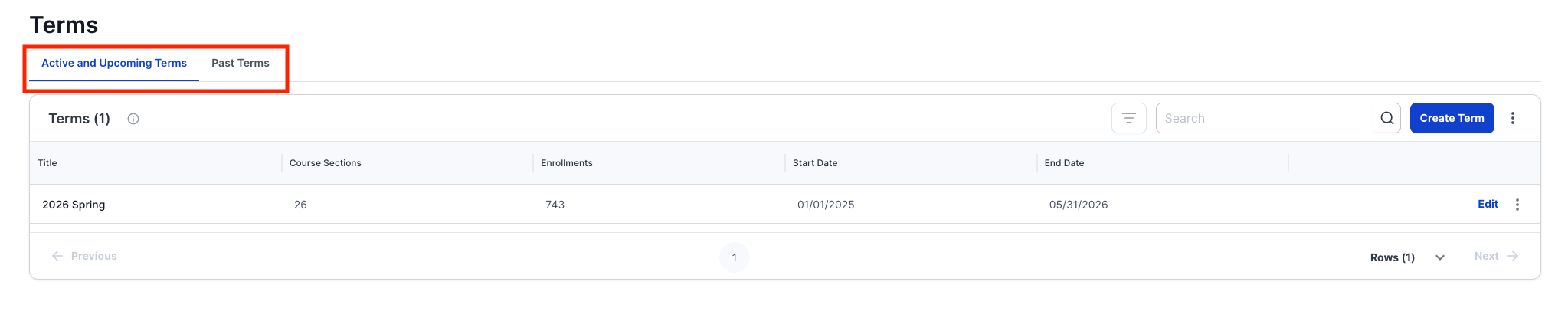
📅 Improved Term Organization
The Terms page now includes separate tabs for:
• Active & Upcoming
• Past
This makes it much easier to quickly locate what’s current.
We’ve also transitioned Term → Course Sections and Student Enrollments into a cleaner tab view for easier navigation. Everything is exactly where you expect it to be. ✨
📁 Enhanced Survey Project Views
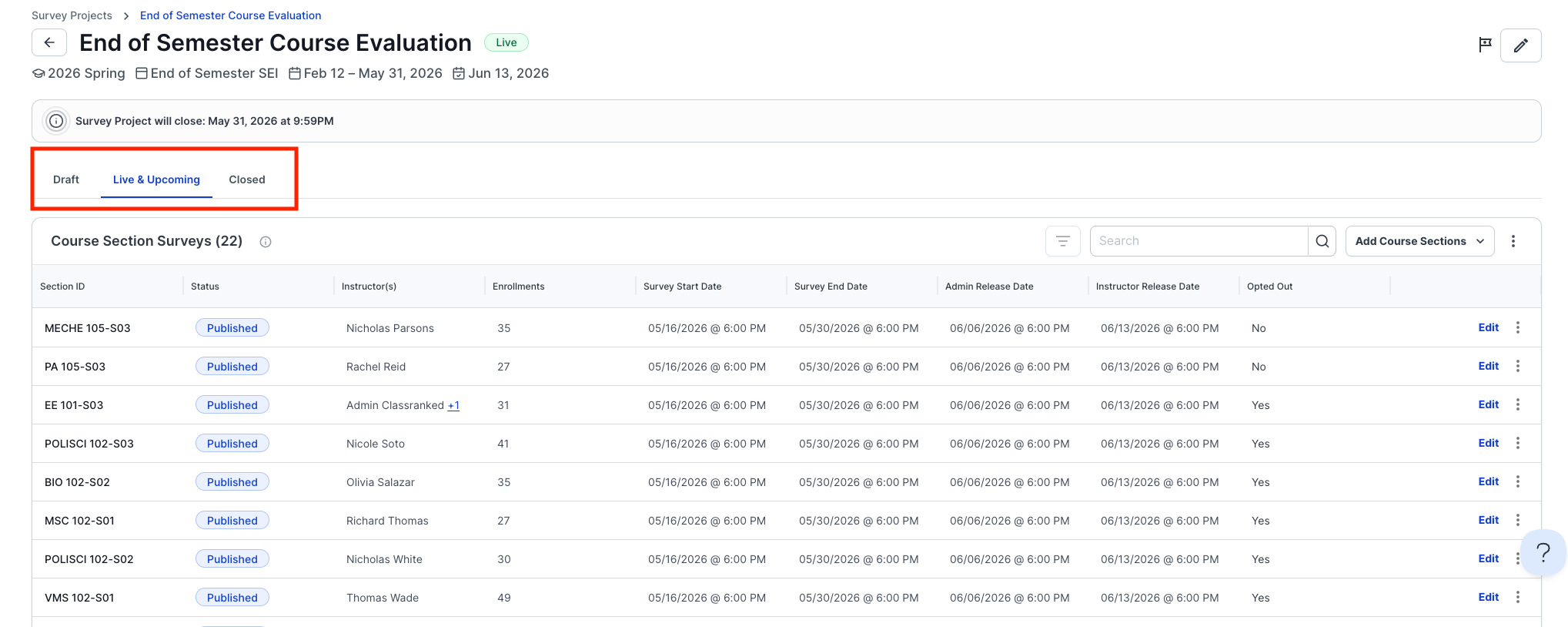
Survey Projects now include status-based views:
• Draft
• Live & Upcoming
• Closed
This makes it easy to quickly navigate between surveys that are in setup, currently active, or completed.
📤 Expanded Export Options
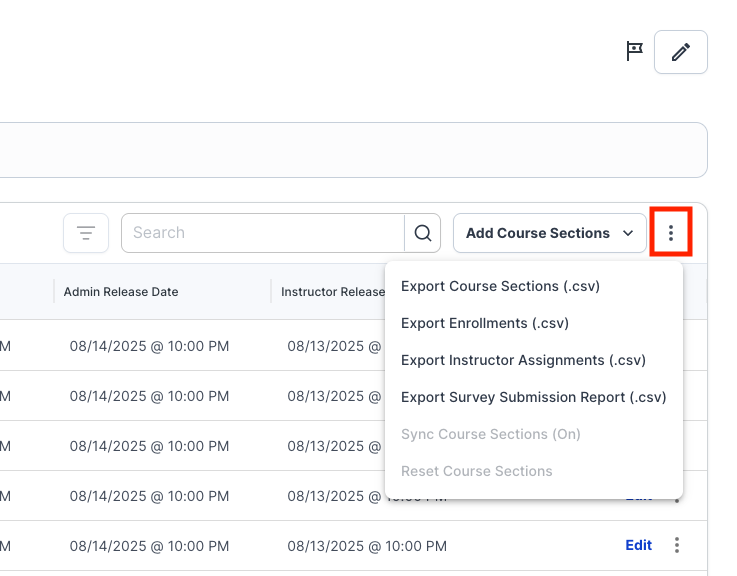
New export options are available directly within a Survey Project. To access them, click the three dots next to the Add Course Sections button in the upper right-hand corner of the Course Sections table.
Available exports include:
• Export Course Sections (.csv)
• Export Enrollments (.csv)
• Export Instructor Assignments (.csv)
• Export Survey Submission Report (.csv)
Getting the right data to the right people just got easier.
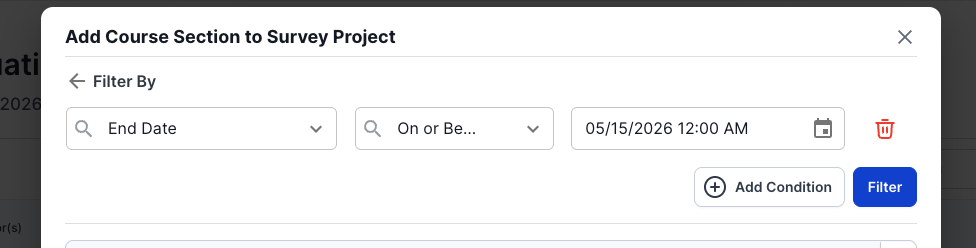
⚡ Filter + Bulk Select for Adding Course Sections
To use the new Filter + Bulk Select workflow:
1. Click Add Course Sections
2. Select Manually Add Course Section
3. Click Add Manually
4. Use the blue “Bulk Select” button
From there, apply conditional logic to quickly select course sections that match your criteria.
Less clicking. More efficiency. 🙌